RoGhoul Ro-Ghoul Controls & Keybinds
Master movement, combat inputs, and mobile layout before PvP or bosses.
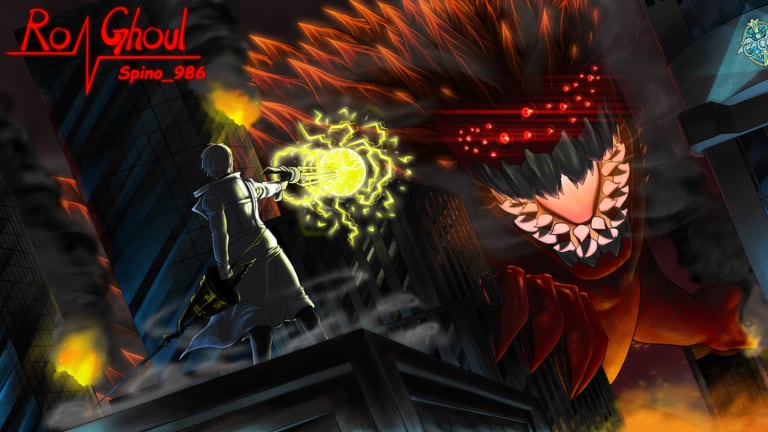
Ro-Ghoul combat is real-time action on Roblox — fights are won with inputs, not menu knowledge alone. Whether you wield a Ghoul Kagune or CCG Quinque, the same fundamentals apply: movement, dash timing, blocking, ability activation, and target management. This controls guide documents default PC bindings, mobile layout expectations, and combat habits that pair with Getting Started, Leveling, and Matchmaking.
Rebind keys in Roblox settings if defaults feel awkward — muscle memory matters more than copying pro streamers. Spend ten minutes in a low-level district practicing before redeeming codes and jumping into Shibuya PvP.
PC default controls (common layout)
Ro-Ghoul inherits standard Roblox third-person movement with experience-specific ability buttons. Exact defaults can shift after patches — always verify in Settings → Controls in-game.
| Action | Typical key / input |
|---|---|
| Move | W A S D |
| Jump | Space |
| Dash / dodge | Q or Shift (varies by patch) |
| Block / guard | F or right mouse |
| Primary attack | Left mouse click |
| Kagune / Quinque toggle | E or number bar |
| Skill slots | 1 – 4 or function keys |
| Carry / grab | G or context key |
| Sprint | Shift (when not dash) |
| Menu / inventory | Roblox escape menu + in-game UI buttons |
Dash is your survival tool — it cancels hitstun when timed right and closes distance for rinkaku or bikaku grabs. Block reduces incoming quinque and kagune damage but drains stamina or posture depending on your build; hold block too long and good players guard-break you.
Kagune controls (Ghoul)
Ghouls activate their Kagune as a mode shift — melee extensions, ranged ukaku projectiles, or defensive koukaku shells depending on type.
Toggle kagune before engaging — spawning with kagune active advertises you and may drain resources in some builds. Practice toggling mid-fight for surprise burst windows.
Skill bar abilities consume RC-enhanced cooldowns. Order matters: open with mobility or CC, confirm into damage, save sustain for third slot when unlocked.
Feeding interactions sometimes bind to combat finishers — learn your kagune type’s range so whiffed swings do not leave you open in Matchmaking.
Kakuja forms (late progression) alter movesets — re-read tooltips after evolution; keys may map to new animations with different startup frames.
Quinque controls (CCG)
CCG players swap between Quinque modes and investigator melee.
Block-first discipline — CCG wins trades with guard and riposte. Bind block somewhere your pinky reaches instantly.
Quinque swap — Mid-combo weapon changes catch Ghouls off guard. Drill swap → light attack → skill on dummies before ranked queues.
Team utility — Some quinque lines include binds for suppress or grab assists; coordinate callouts in squad voice when running Bosses.
Mobile controls
Mobile Roblox uses on-screen joysticks and ability buttons.
Joystick zone — Use claw grip or tablet layout if phones feel cramped; mis-touches cause most mobile deaths.
Ability buttons — Drag UI elements in Roblox mobile settings if thumbs block the screen.
Dash and block — Often separate large buttons — prioritize dash visibility for survival.
Codes and menus — Redeem promo codes via left-side Codes button (How to Redeem); do not fight while typing in chat on mobile.
Mobile players can compete in matchmaking but should extra-practice in Farming RC & Yen zones before ranked — input error rate is higher than PC.
Combat fundamentals tied to controls
Camera management — Manual camera wins tracking for ukaku ranged and corner checks in alleys.
Ping and latency — Roblox servers vary; lead targets slightly at high ping; avoid dash spam into lag.
Carry and execute — Grab binds finish downed targets in open world; know faction rules for when executes are honorable in PvP zones.
Focus interactions — Some stat growth from Focus modifies dash distance or block strength — controls feel different after training; revisit practice drills post-upgrade from Leveling.
Settings worth changing
- Shift lock — Helps keyboard players track targets in third person.
- Graphics lowered on mobile — FPS stability improves input registration.
- Rebind dash away from fat-finger keys — Prevents accidental dashes into walls.
- Roblox chat off in duels — Prevents mistyped !Code attempts mid-fight.
Practice drill (15 minutes)
- Spawn in beginner district (Getting Started).
- Toggle weapon mode ten times cleanly.
- Dash through NPC attacks without taking hit.
- Block three consecutive NPC swings.
- Full combo one NPC without whiffing last hit.
- Repeat on mobile if applicable.
Then redeem codes from Codes Hub and return to quests — muscle memory compounds faster than reading alone.
Controls vs build quality
Bad inputs lose to weaker builds; good inputs occasionally beat stronger ones at equal gear. If you lose matchmaking repeatedly, split blame honestly: 50% mechanics from this page, 50% RC spending from Leveling and tier choices from Tier List Hub.
Boss fights add phase mechanics — dashes dodge telegraphed AOEs; blocks mitigate add spawns. Read Bosses for fight-specific tells after mastering basics here.
Related pages
- Getting Started — When to stop practicing and progress
- Matchmaking — Ranked PvP after drills
- Leveling — Focus upgrades that change dash and block feel
- Codes Hub — Redeem after rebinding keys so UI Submit is reachable
Controls are the free upgrade path every Ro-Ghoul player ignores for one more RC spin. Master dash and block first — Tokyo rewards players who move correctly more than players who only copy tier list names without touching Settings.
Frequently Asked Questions
Quick answers to the most common RoGhoul questions.
How do I dash in Ro-Ghoul?
Use the dash key bound in Settings — commonly Q or Shift on PC, or the on-screen dash button on mobile. Dash cancels pressure and dodges telegraphed boss hits when timed correctly.
How do I activate my kagune?
Toggle kagune with the key bound to your weapon mode — often E or a number slot. Activate before engaging NPCs or players so you are not caught in startup animation.
What key blocks attacks for CCG?
Block is typically F or right mouse on PC. Hold block to reduce incoming damage but watch for guard-break pressure from experienced Ghouls in matchmaking.
Can I rebind Ro-Ghoul controls?
Yes through Roblox experience settings and in-game Controls menu when available. Rebind dash and block first — they matter most in PvP and bosses.
Are mobile controls viable for PvP?
Yes with practice. Use optimized button layout, stable FPS, and drill combos in PvE before ranked matchmaking. Many top mobile players claw-grip or use tablets.
Where is the codes button while learning controls?
The Codes button sits on the left side of the HUD. Redeem promo codes there without using chat — see How to Redeem Codes for the full flow.