RoGhoul Official Discord
Join the community hub for codes, updates, and support pointers.
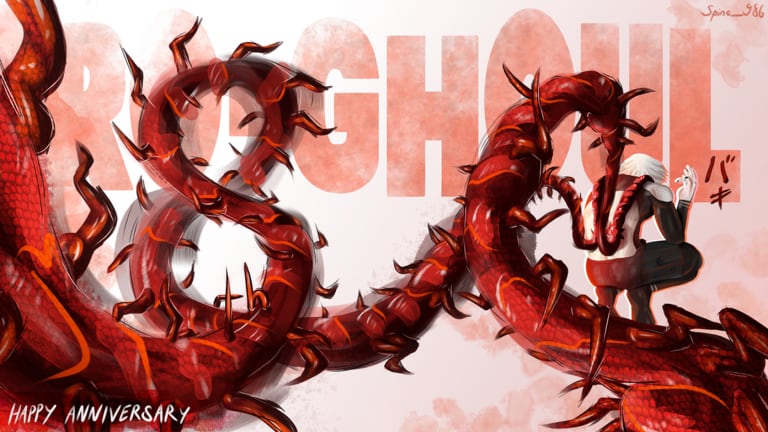
The RoGhoul Discord is the closest thing to a real-time command center for SushiWalrus’s Roblox game. Code drops, maintenance warnings, player questions, and moderation decisions flow through this server before they ever reach fan wikis. If you play Ro-Ghoul regularly, joining is more valuable than bookmarking ten outdated Trello boards.
Official invite: https://discord.gg/roghoul
This page explains what the Discord is for, how it relates to this fan wiki, and how to stay safe from impersonators. Return to the Wiki Links hub for other official pointers.
Why join the Discord
Ro-Ghoul updates frequently — balance patches, anniversary events, new matchmaking modes, and limited promo codes. Discord offers:
- First-party code hints before aggregators update codes.
- Maintenance notices when Roblox or Ro-Ghoul goes offline during patches.
- Community help for faction choice, boss locations, and matchmaking queues added in the April 2026 update.
- Moderation that removes scam links and fake “free Robux” bait.
Wikis like ours write long guides and tier lists, but we cannot beat Discord for minute-zero announcements.
What this Discord is not
- Not a script marketplace. SushiWalrus does not endorse executors. Do not ask staff to verify exploit links — see scripts for our informational disclaimers only.
- Not official Roblox support. Account theft, payment issues, and platform bans go through Roblox proper.
- Not a guaranteed Trello host. Roadmap boards linked in random channels may be fan-made; read Trello clarification.
Typical channel layout (may change)
Discord servers evolve, but Ro-Ghoul communities usually separate:
| Area | Purpose |
|---|---|
| Announcements | Patch notes, code teases, event start/end |
| General chat | Faction banter, help requests, LFG for PvP |
| Updates / leaks policy | Often restricted — only verified info allowed |
| Support redirects | Pointers to Roblox forms or FAQ threads |
| Voice lobbies | Optional squad queue practice |
Read channel pins and rules after joining. Moderators mute spam asking “when ranked” or “give code pls” during patch hype.
Codes and Discord timing
Major codes — like ANNIVERSARY-8 during the 8th anniversary — appear when SushiWalrus posts to Discord or Roblox simultaneously. Workflow:
- See hint in announcements.
- Redeem immediately in-game.
- Cross-check our codes page for reward details and expiry notes.
- Read Latest Updates for patch context.
Codes expire without warning. Discord reminders are not extensions — redeem same day when possible.
Matchmaking and LFG
The April 2026 matchmaking system added structured 1v1 and team queues. Discord helps players find scrim partners when solo queue feels too random. Tips:
- Share your faction, kagune or quinque, and stat band honestly.
- Use private servers for coaching; use matchmaking for unknown matchups.
- Do not advertise dash boost or autofarm services — ban bait and against server rules.
Study legitimate PvP in guides and the tier list instead of PvP scripts.
Safety rules
Staff impersonation: Real SushiWalrus team members will not DM you first asking for passwords, Robux, or “verification links.”
Phishing links: Only trust invites matching discord.gg/roghoul. Typosquat domains steal tokens.
Account trading: Buying accounts violates Roblox ToS and ends in scams.
Exploit bragging: Screenshots of hacked movement get reported to moderators and fuel player reports in-game.
Minors: Follow Discord ToS age requirements and Roblox community standards.
Discord vs this wiki
| Need | Best source |
|---|---|
| Breaking code | Discord first, then codes |
| Long guide | Guides |
| Meta rankings | Tier list |
| Patch essay | Updates |
| Exploit info | Scripts — not official |
| Player builds | Players |
| Calculators | Tools |
Use both: Discord for alerts, wiki for structured reading and search-friendly URLs.
How to join
- Click https://discord.gg/roghoul.
- Accept the invite in Discord desktop or mobile.
- Complete any verification bot steps (anti-raid).
- Read
#rulesor equivalent before chatting. - Mute noisy channels if you only want announcements.
Related pages
- Wiki Links Hub — all official resources
- Trello Clarification — avoid fake roadmaps
- Updates Hub — anniversary and matchmaking details
- Getting Started — before you ask common questions
The Discord is the live pulse of Ro-Ghoul — join once, stay for patch season, and keep this wiki open for depth the chat scroll cannot provide.
Frequently Asked Questions
Quick answers to the most common RoGhoul questions.
What is the RoGhoul Discord invite?
https://discord.gg/roghoul — the official community server used for announcements and player discussion.
Do codes get posted on Discord first?
Often yes. SushiWalrus teases or publishes codes alongside Roblox updates. Still verify rewards on our codes page.
Can I get banned for discussing scripts on Discord?
Most servers restrict exploit promotion. Read channel rules — asking for scripts may warn or ban you even if Roblox has not acted yet.
Is Discord official SushiWalrus support?
It is the official community hub, but Roblox account and purchase issues still go through Roblox support systems.